Last week a friend messaged me: “I’m about to pay a few hundred bucks for an AI course. Should I?”
I went quiet for a second, because the honest answer is awkward: you don’t need to pay for anything yet. Not at this stage — not while you still don’t know what you would use AI for.
Sound familiar? We have watched this play out many times. People buy a subscription in week one, use it for three days, then stop. The ones who start with free tools usually learn faster, because nothing is riding on every experiment and they are not trying to get their money’s worth.
What follows is the version of this advice we keep repeating to friends: practical ways to learn AI for free. Not trivia — enough to build a couple of workflows, save prompts that actually work, and turn AI into a skill you use at work.
Free AI tools for practice
ChatGPT (OpenAI) is still the easiest starting point for beginners. The free tier is enough to practice prompting, summarize articles, draft emails, and brainstorm ideas — and to notice how much a small wording change shifts the answer.
Gemini (Google) fits if your daily work already lives in Gmail, Docs, or Sheets. It is a practical way to learn AI for office work because you can apply it right away to writing, research, note cleanup, and spreadsheet help.
Claude (Anthropic) stands out when you want calm, readable writing and need to work through long documents. If your goal is to learn AI writing or document analysis, this is a strong free option to hold up against the others.
AI Hub app is for people who want more than one-off questions. It is the fastest way to explore Multi AI models for everyday productivity: you try several models and tools, and set up structured custom AI instead of repeating the same manual steps.
The best approach is not to test ten tools in one day. Pick two, hand them the same real task, and note which one is better at writing, research, planning, or automation. It sounds boring, but it works.
Free open-source AI tools you can run or test
Ollama lets you run open-source models on your own machine for free. You will not get the strongest performance on every laptop, but it is one of the easiest ways to understand what local AI means and why privacy-conscious teams care about it.
Open WebUI gives you a cleaner interface for working with local or self-hosted models. It pulls you past the single-chatbot habit and gets you thinking about organized prompts, model comparison, and reusable setups.
LM Studio is another beginner-friendly way to try local models without deep infrastructure knowledge. If you learn best by clicking around and watching what happens, it makes open-source LLMs feel far less intimidating.
Those three tools are also the doorway to running a local small language model (SLM) — a compact model that lives on your own machine and never sends your data out. We went deeper in our post on local SLMs and multi-agent systems if you want the details.
These tools matter because they teach an important lesson early: AI is not only about one website. The more you understand hosted tools versus local tools, the easier it becomes to choose the right setup for cost, privacy, and flexibility.
Free automation tools: n8n and simple workflows
n8n has a free self-hosted option and is one of the best tools for learning AI automation without writing everything from scratch. You can connect forms, spreadsheets, email, databases, and AI steps into one workflow, which makes AI useful instead of purely conversational.
A good first n8n exercise is simple: take new form submissions, summarize them with AI, then send the result to email or Slack. In one small project you learn prompts, automation logic, error handling, and where AI genuinely saves time.
If n8n feels too big at first, shrink it. Build one workflow that removes one repetitive task from your week, then improve it once you see where the results are weak.
Learning AI through automation is powerful because it changes your mindset. You stop asking only, “What can this chatbot write for me?” and start asking, “What process can this system finish for me?”
Learn MCP early, but keep it practical
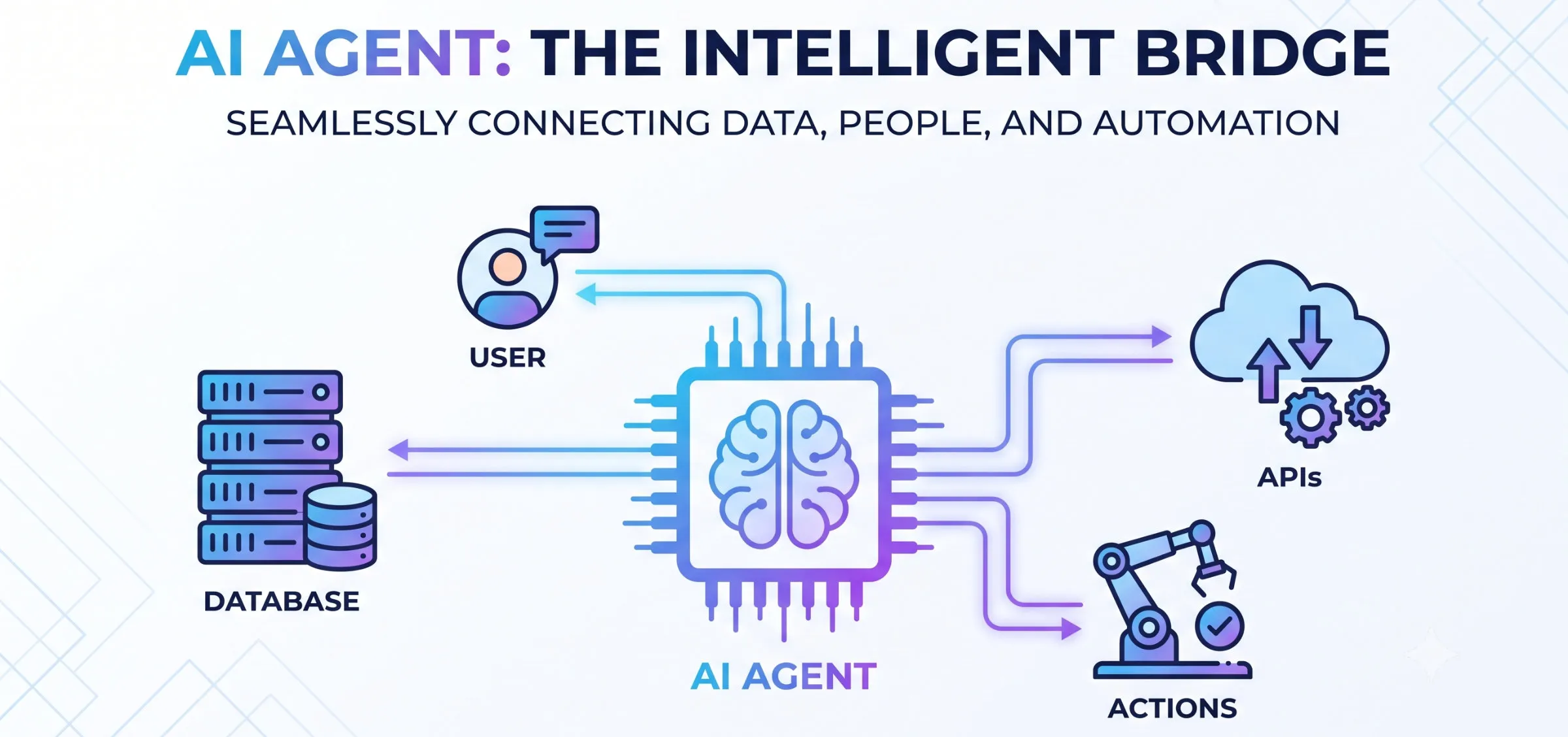
MCP (Model Context Protocol) is a way for AI systems to connect to tools, files, and external services in a structured way. You do not need to master the specification on day one, but you should understand the idea because it is central to how AI agents become useful in real work.
The practical takeaway is simple: a model becomes much more valuable when it can read the right context and use the right tool at the right time. That could mean searching documents, updating a database, checking a calendar, or triggering a workflow instead of only replying with text.
There are free and open-source MCP examples available in the community, which makes it a good learning area on a zero budget. Start by reading one simple server example and ask yourself what tool you would actually want an AI assistant to access safely.
If you understand n8n as workflow automation and MCP as tool access for models, you already have a better mental model than most beginners. That foundation will help you judge the next tool without getting lost in the hype.
Advanced option: DeepSeek Harness
If you want to go beyond basic prompting, DeepSeek Harness is worth exploring as an advanced open-source option. It is built around structured runtime flows, tool usage, and programmatic interaction rather than simple chat alone.
This is not the first thing a beginner should install. But if you already understand prompts, local models, n8n, or MCP concepts, DeepSeek Harness can help you see how more serious AI agent workflows are assembled in practice.
The right way to use it is as a learning lab, not as a status symbol. Read the latest open-source documentation, run a minimal example, and focus on how tools, sessions, and execution flow fit together.
Free learning resources
Official documentation is still the most reliable place to learn how a tool really works. It is rarely the most exciting resource, but it saves you from copying outdated advice from social posts or low-quality tutorials.
Free introductory courses on platforms like YouTube, Coursera free tracks, and vendor education pages are useful when you need structure. They pull you from random experimentation toward a clearer sequence of skills.
Communities, forums, and GitHub repos are where you find real examples, prompt patterns, and open-source projects people actually use. This is especially useful when learning AI workflows, because seeing working examples shortens the gap between theory and practice.
Prompt libraries and public templates can help, but do not treat them like magic formulas. Use them as starting points, then rewrite them for your own role, tasks, and data.
How to learn effectively on a $0 budget
Pick one main chatbot and use it daily for a real task. Repetition matters more than variety at the beginning, because you are training your judgment, not collecting app accounts.
Save the prompts that work and write down why they worked. A week in, you will start seeing the patterns: better context, clearer formatting requests, stronger examples.
Practice on real work, not fake demos. Summarize a meeting, rewrite an email, build a content outline, or organize research notes so the effort pays off immediately.
Compare outputs instead of trusting the first answer. Ask the model to shorten, verify, restructure, or improve the result — that is how you learn to iterate instead of consume.
Build one tiny system, not just one-off prompts. That could be an n8n workflow, a local model test in Ollama, or a simple MCP-based experiment.
A 7-day free AI learning plan
Day 1: choose ChatGPT, Gemini, Claude, or AI Hub app and hand it three small tasks. The goal is comfort and observation, not perfection.
Day 2: rewrite the same prompt three ways and compare the results. This teaches you faster than watching another hour of theory videos.
Day 3: save your five best prompts in a note. That is your first personal prompt library — for work, study, or content.
Day 4: test one open-source tool such as Ollama, Open WebUI, or LM Studio. You do not need to become technical overnight; you just need to see where cloud AI and local AI differ.
Day 5: build one simple n8n workflow. Even a tiny automation teaches you more about useful AI systems than another round of casual chatbot questions.
Day 6: read one MCP example or explainer and map it to your own use case. What tool access would an AI assistant need to actually help you?
Day 7: review everything and keep only what is genuinely helpful. Good AI learning is not about collecting tools; it is about building a workflow you can repeat.
How to avoid wasting time with free AI tools
Do not chase every new model announcement. Most beginners improve faster on a small, stable stack than by testing every trending tool for ten minutes.
Do not confuse fluent answers with correct answers. Free or paid, models can sound confident and still be wrong, so verification is part of the skill.
Do not linger in the “just reading” phase for too long. The real learning begins when you connect AI to your own writing, research, operations, or automation work.
When should you invest?
Free tools are enough for individuals, freelancers, and early experimentation. But when a company needs a custom AI agent that runs continuously, connects to internal tools, follows business rules, and produces reliable output, the problem stops being a hobby project.
That is the point where architecture, security, workflow design, and integration quality start to matter. Mon AI helps businesses move from scattered experiments to working AI systems. If you want to know where your own case should start, just contact Mon AI — we will look at it with you.