A purchase request sat in someone’s inbox for six days. The requester chased it twice. The approver was on leave and never saw it. By the time the supplier called a third time, the whole office knew something was stuck.
We’ve run into this often enough to stop calling it an accident. Nobody did anything wrong. The process was never written down anywhere — it lived in one person’s head, and that person went on holiday.
That’s when we started looking at digitizing SOPs with AI differently. Not buying a tool and hoping it absorbs how your company actually works, but starting with the least glamorous part: rewriting the process itself.
Because a process that only runs when one specific person is at their desk isn’t a process. It’s a timer — you just don’t know when it goes off.
Digitizing SOPs with AI starts with rewriting, not buying software
You can’t automate work nobody can describe. That sounds obvious, yet most of the rollouts we’ve seen trip on exactly this: buy the tool first, ask “what is our actual process” later.
When we sit down with the person holding the process in their head, we don’t ask “what would you like to automate”. We ask: walk me through the last time you did this, from the moment it started to the moment it was done.
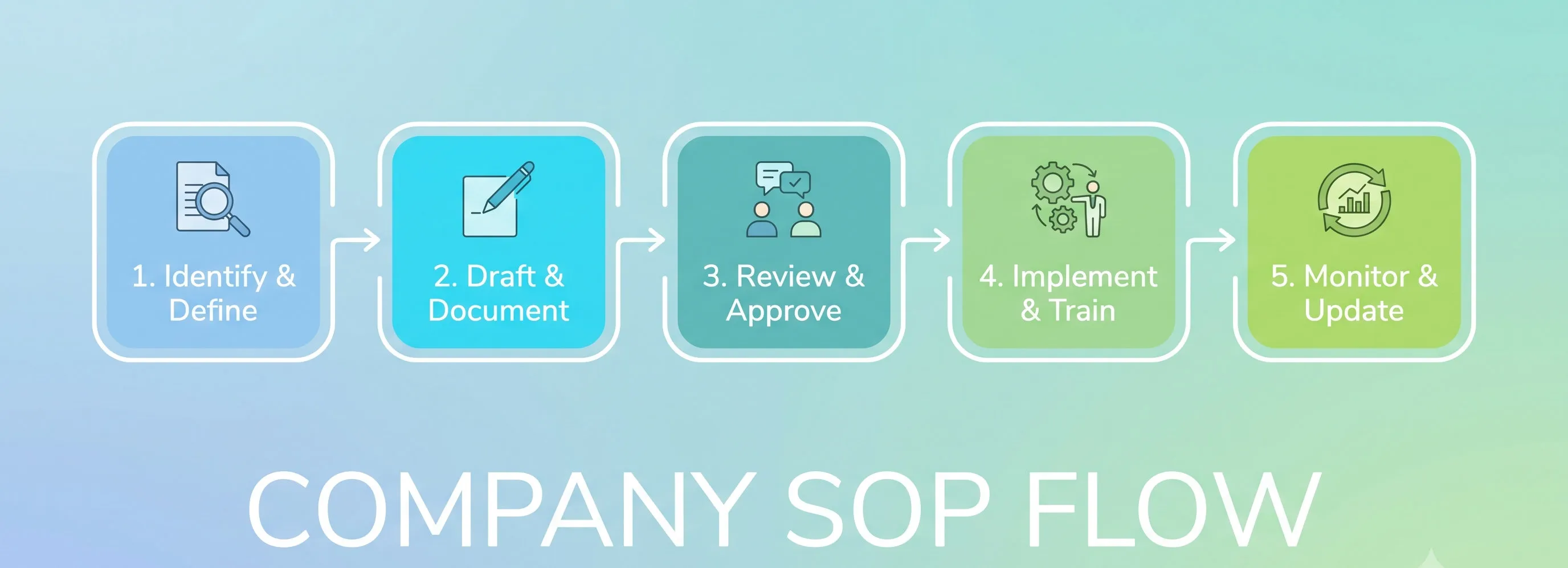
The answer is usually longer than expected, and it always contains steps nobody remembered they were still doing. Rewriting the SOP means every step has to answer a few questions:
- What happens, in what order. No step can be called “then do everything else that’s needed”.
- Who does it. One person, or one role. Not “purchasing”.
- What goes in, what comes out. A request, a quote, a signed contract. Only when the output is clear do you know whether the next step can start.
- What happens on exceptions. Price comes in above the quote — then what? Documents are missing — then what? The approver is away — then what?
- Where the thresholds sit. How much money needs whose sign-off. That’s the thing that turns a vague process into one that actually runs.
Once that’s written, the remaining work usually splits into three parts: a front end that needs human judgement, a tail end that needs a human signature, and a long, repetitive, boring middle. Copying data between systems. Checking for duplicates. Chasing people for the fields they left blank. Gathering the numbers.
That middle is what we hand to an agent.
Not because it’s hard — but because it’s easy enough that having people do it is wasteful, and repetitive enough that people eventually get it wrong.
Automating internal approval workflows
This is where people get excited, and where they misread it most. Automating internal approval workflows doesn’t mean an agent approves on your behalf.
It means the request doesn’t fall through.
- Route by threshold. Under a certain amount, the direct manager approves. Above it, one more level. Equipment goes one way, marketing spend another. Those conditions are exactly what you wrote down in the previous section — now you just declare them.
- Nudge the right person at the right time. Instead of an email sinking to the bottom of a shared inbox, the request reaches the right approver with the documents attached, ready to be decided in one pass.
- Escalate when it stalls. One day late, a reminder. Three days late, the delegate gets it. If the approver logged their leave in advance, that handover happens from day one — nobody has to guess when they’re back.
- Record who approved what, when, and why. The “why” is the part people skip, and the part you want most when something goes wrong.
That last one is what makes the rest useful. A decision with no reason attached can’t be explained three months later — even by the person who signed it.
And to be explicit: this isn’t about removing people from the process. A person still decides — approve or reject, and own that call. The agent just makes sure the decision doesn’t sit buried for six days.
Put differently, it frees approvers from being the mail room. That’s the same thinking we bring to any project meant to automate work processes: remove the steps that don’t need judgement, keep the ones that do.
One rule we hold to: if the system goes down, the work has to continue the old way. A process that takes the whole company down with it when it breaks isn’t automation, it’s a bet.
Managing and monitoring processes with AI
The interesting part comes after routing and reminders work: you start to see the process.
Before, “where is this request” had exactly one way to answer — go and ask people, one at a time. Now you don’t have to ask anyone.
- Which step is slow, and who’s holding it. Not to assign blame, but to find where it’s genuinely stuck.
- Alerts before the deadline. A different world from a report that arrives after it’s already late.
- Data for improving the process, instead of guessing at it.
The first time we look at that data, something usually surprises us: the slowest step isn’t the manager’s. It’s waiting for a quote, waiting for a confirmation, waiting for someone to remember. Approving is fast. Waiting is slow.
But managing and monitoring processes with AI has a trap built in. Once you measure average cycle time, people learn how to make that number look good. Approve faster. Skip a check. So measure a few other things too: how many requests get reworked, how many exceptions bounce back to the requester, how many decisions carry no recorded reason.
Good numbers start a conversation. Numbers kept for show get polished sooner or later.
Start with a single process
The biggest temptation when you start to automate work processes is to do everything at once. It’s also the fastest way to fail.
Pick one process. A good candidate has a few things going for it:
- It repeats often. A few times a week, not once a year.
- It’s measurable. You can say how long it takes from submission to approval.
- It’s low stakes. Getting it wrong is annoying, not expensive or legally risky.
- Someone owns it. Without an owner, the project dies quietly.
We usually recommend running it in parallel first: the agent does the work, people do the work, and then you compare. Divergence isn’t necessarily failure — it’s information about where the agent can be trusted and where it can’t yet. Once the two match for long enough, drop the manual step and move to the next process.
And keep the order right: rewrite first, automate second. A bad process that gets automated just runs faster — in the wrong direction.
Tell us about your process
If your company has a process that only runs when one particular person is around — or a request that once sat in someone’s inbox far too long — that’s usually a good place to start.
At Mon AI we do this for operations teams: rewriting the process so it’s explicit, handing the repetitive middle to an agent, routing approvals, and building the view that shows you where things get stuck. Send us a sentence about the process that wears your team down most — even if you’re only curious. You can also look at how we work and what it costs first.
And there’s one thing you can do today without buying anything: write the process down. Who does what, and in what order. One page is enough.
Because what nobody has written down is what nobody can automate.